





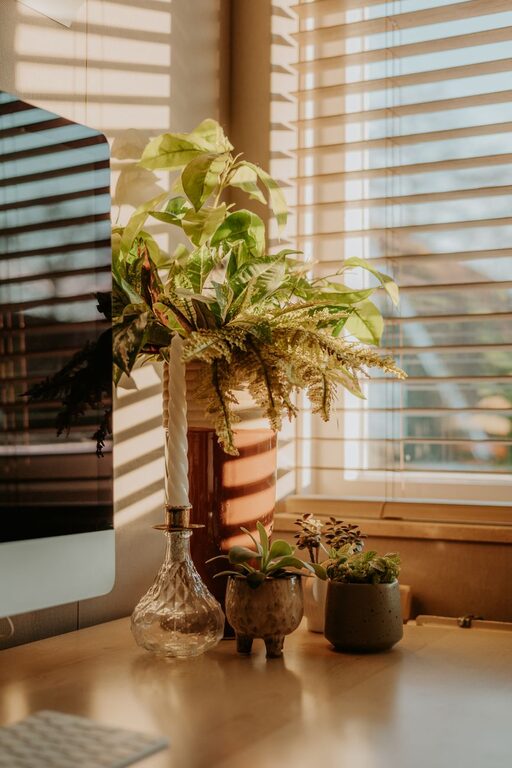
Creating a relaxing home workspace is essential for maintaining productivity and comfort, especially in today’s world where many people work remotely. A well-designed space not only helps you focus but also reduces stress and makes your workday more enjoyable. Whether you have a dedicated office room or just a corner of your living area, these tips will help you transform your workspace into a calm and productive environment.
Choose the Right Location
Quiet and Private
Select a spot in your home that is as quiet and free from distractions as possible. This could be a spare room, a nook, or even a section of your bedroom. Privacy allows you to concentrate better and signals to others in the household that you’re working.
Natural Light
Whenever possible, position your workspace near a window to enjoy natural sunlight. Natural light boosts mood and energy levels, reducing eye strain and making the room feel more inviting.
Invest in Comfortable Furniture
Ergonomic Chair
A supportive, ergonomic chair is one of the best investments you can make. It keeps your back aligned, reduces discomfort, and helps prevent posture-related issues. Look for chairs with adjustable height, lumbar support, and cushioned seating.
Functional Desk
Choose a desk that suits the amount of space you have and meets your work needs. Whether it’s a compact desk for a laptop or a larger one for multiple monitors, ensure it has enough surface area to stay organized without clutter.
Organize Your Space
Declutter Regularly
A cluttered workspace can distract and overwhelm you. Keep only the essentials on your desk, such as your computer, a notebook, and a few pens. Use drawers or shelves to store other items neatly.
Use Storage Solutions
Desk organizers, file holders, and baskets help keep papers, cables, and other supplies in place. Labeling storage containers can make it easier to find things when you need them.
Add Soothing Elements
Color Palette
Choose calming colors like soft blues, greens, or neutrals for your walls and accessories. These shades can help reduce stress and create a peaceful atmosphere.
Plants
Including a few indoor plants can improve air quality and bring a touch of nature into your workspace. Plants like succulents, spider plants, or peace lilies are low-maintenance and add a fresh feel.
Personal Touches
Add a few personal touches such as artwork, photos, or inspirational quotes. These small details can make the space feel welcoming and motivate you throughout the day.
Control Lighting and Noise
Adjustable Lighting
In addition to natural light, use adjustable lamps or overhead lights to avoid glare on screens and to reduce eye fatigue. Warm light tends to be more relaxing, especially during early mornings or late evenings.
Noise Management
If background noise is an issue, consider noise-cancelling headphones or a white noise machine. Some people find soft instrumental music helpful for concentration, but choose whatever sounds work best for you.
Establish a Routine
Set Work Hours
Define clear work hours to separate your professional and personal life. Having a consistent routine signals your brain when it’s time to focus and when it’s time to unwind.
Take Breaks
Remember to take regular breaks to stretch, walk around, or simply rest your eyes. Short breaks can improve productivity and keep you comfortable throughout the day.
Technology Tips
Cable Management
Keep cables organized using clips, ties, or under-desk trays. This not only looks neater but also prevents accidental unplugging and hazards.
Ergonomic Accessories
Consider accessories like a separate keyboard and mouse if you use a laptop. A monitor stand can help position your screen at eye level, reducing neck strain.
—
Creating a relaxing and productive home workspace doesn’t have to be complicated or expensive. By choosing the right location, investing in comfortable furniture, keeping things organized, and adding elements that soothe your senses, you can make your work-from-home experience more enjoyable and efficient. Start small with a few changes and gradually develop a space that supports both your comfort and productivity.



More Stories