






Creating a productive home office space is essential for anyone working remotely or managing tasks from home. A well-designed workspace can enhance your focus, reduce distractions, and improve your overall work experience. Whether you have a dedicated room or a small corner in your living room, these tips will help you set up a home office that keeps you motivated and efficient.
Choose the Right Location
Selecting the right spot for your home office is the first step toward productivity. Ideally, this space should be quiet and free from distractions. Here are some things to consider:
– Natural Light: Position your desk near a window if possible. Natural light can boost mood and energy levels.
– Privacy: Choose an area that offers some privacy from family members or housemates.
– Space: Ensure the space is big enough to fit your desk, chair, and any other essentials comfortably.
If a separate room isn’t available, consider using room dividers or screens to create a visual boundary between work and home areas.
Invest in Comfortable and Functional Furniture
Comfort plays a big role in staying productive. Investing in ergonomic furniture will help you maintain good posture and avoid discomfort.
– Ergonomic Chair: Choose a chair that supports your back and adjusts to your height.
– Desk Height: Your desk should allow your elbows to rest at a 90-degree angle when typing.
– Adequate Surface: Make sure your desk has enough space for your computer, keyboard, and additional items like notebooks or a lamp.
If you spend long hours at your desk, consider a sit-stand desk to alternate between sitting and standing.
Keep Your Space Organized
Clutter can be distracting and make it harder to focus. Keeping your home office organized will create a more pleasant work environment.
– Storage Solutions: Use shelves, filing cabinets, or drawer organizers to keep documents and office supplies tidy.
– Cable Management: Use clips or cable ties to keep wires from tangling under your desk.
– Daily Cleanup: Spend a few minutes at the end of each workday tidying up your workspace.
An organized space can help clear your mind and improve productivity.
Optimize Lighting and Reduce Eye Strain
Good lighting is crucial for avoiding fatigue, headaches, and eye strain.
– Layered Lighting: Use a combination of natural light, overhead lighting, and task lighting.
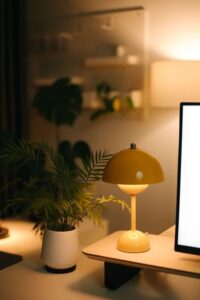
– Desk Lamp: Invest in an adjustable desk lamp with warm, soft light for focused tasks.
– Screen Position: Position your computer screen to avoid glare from windows or overhead lights.
Adjusting your lighting setup to suit your needs can make a significant difference in comfort and focus.
Minimize Distractions
Home environments can have many distractions. Taking steps to minimize them will improve your concentration.
– Noise Control: Use noise-canceling headphones or white noise machines if you live in a noisy area.
– Set Boundaries: Communicate your work hours to others in your home to reduce interruptions.
– Limit Phone Usage: Keep your personal phone away or on silent during work time.
Creating routines and clear boundaries helps signal to yourself and those around you when you are working.
Personalize Your Workspace
Adding personal touches can make your office feel welcoming and inspiring.
– Plants: A small plant can add life to your workspace and has been shown to improve mood.
– Artwork: Hang pictures or posters that motivate you or bring positive feelings.
– Comfort Items: A cozy throw or cushion can make your chair more inviting.
While personalization is important, avoid overdecorating, which can lead to distractions.
Use Technology Wisely
The right tools can streamline your work and boost efficiency.
– Reliable Internet: Ensure your internet connection is strong and stable.
– Organizational Tools: Use calendar apps, task managers, or note-taking tools to stay on top of deadlines.
– Backup Power: Consider a surge protector or uninterruptible power supply (UPS) to protect your devices.
Regularly update your software and clear out unused files to keep your computer running smoothly.
Take Breaks and Move Regularly
Working in the same spot for hours can lead to fatigue and reduced productivity.
– Pomodoro Technique: Work in focused intervals (e.g., 25 minutes) followed by short breaks.
– Stretching: Stand up and stretch or take a short walk every hour.
– Eye Breaks: Follow the 20-20-20 rule — every 20 minutes, look at something 20 feet away for 20 seconds.
Incorporating movement into your day can refresh your mind and body.
—
Creating an efficient home office doesn’t require a large budget or elaborate setup. By carefully choosing your location, investing in comfort, staying organized, and keeping distractions to a minimum, you can build a productive space that supports your work goals every day. Remember, small changes can make a big difference in how you feel and perform while working from home.



More Stories
Tips for Creating a Cozy and Inviting Home Office Space
Tips for Organizing a Productive Home Office Space
Tips for Creating a Cozy and Productive Home Workspace